Hi All,
Im sorry to ask what many will think a very bone question but I have just bought and installed a MyCloud 3TB, I can drag files onto it etc and retrieve them from other devices great so far.
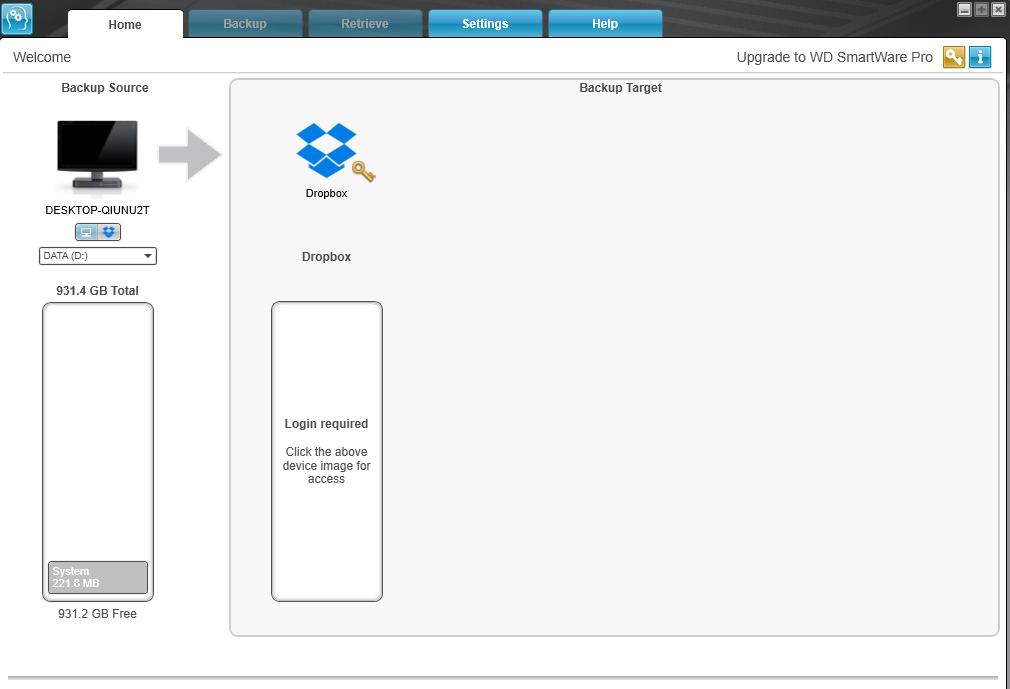
My question is how do I get files on my main desktop PC to update themselves say in the night? I read some posts about smartware but when I downloaded that it only gives me an option to send my files from the source to Dropbox and thats not what Im after. I basically want to say ammend a word document on my desktop and then have that document be updated across my devices if that can be done.
Apologies if this has been asked 100s of times please post links to ■■■■■ proof instructions.
How are you wishing to use the MyCloud? Purely as a backup device for your desktop PC?
Or as a central file server for a number of devices, all of which can access and update files on the MyCloud server?
If all you want is to keep your desktop PC as the file master, and have the MyCloud act as a slave backup store, then Smartware ought to be able to do that; it should offer your MyCloud as a backup target for your PC. Other backup tools are available…
If you want the more sophisticated file server option, you may want to look at ‘sync’ software, that keeps multiple devices up-to-date with the latest file changes. WD offer such a tool, and there are various third-party offerings.
I was after the central server option but cant seem to work out how to do that, also the smartware I download does not give me the option it only shows the “target” as Dropbox.
Do you have a link to the sync software you mention?
Open up SmartWare and read all the information provided under the Help tab. A link is provided at the bottom of the Help tab for the Online User Manuals.
Mine is set to backup my Desktop PC two times a week on Monday and Friday at 0700 hrs.
If you want the MyCloud to be a central, primary file server, rather a secondary, backup device, then all you need to do is map the MyCloud as one or more network drives, and move all you files to those network drives. You will not leave files on your other devices. From then on, you will only ever access the files from the MyCloud, and never store them on your PC; your PC and other devices become clients to your file server, used only to process/view the files stored on the MyCloud.
You would then need to back up the MyCloud to some other backup disk, otherwise, having moved all your primary files to the MyCloud, they are only stored on the MyCloud, which can fail, like any disk drive. You could use the built-in SmartWare/Backup utility on the MyCloud to back up to a USB HDD, or back up to a HDD connected to one of the client devices (your desktop PC, for instance).
Or you can use the PC as a backup device.
I use a mixture of these approaches; I have some files (my ‘personal files’) on the PC that are my primary files, and backed up to the MyCloud (using a sync mechanism, to allow other devices to write to the MyCloud and have those changes propagate to the PC). I have some files on the MyCloud that are primary files (media), that are backup up to a USB HDD connected to the PC.
Having my personal and media files stored on the MyCloud means they can be accessed from any device on my network, without needing my PC to be on, and I can access all my files locally and remotely. I store nothing on my MyCloud that would cause anything more than minor embarrassment were it to be hacked.
I use FreeFileSync, run manually, using a setup that includes sync and mirror modes of backup.