After a couple of weeks and finally a successful backup I’m still learning how to use this thing.
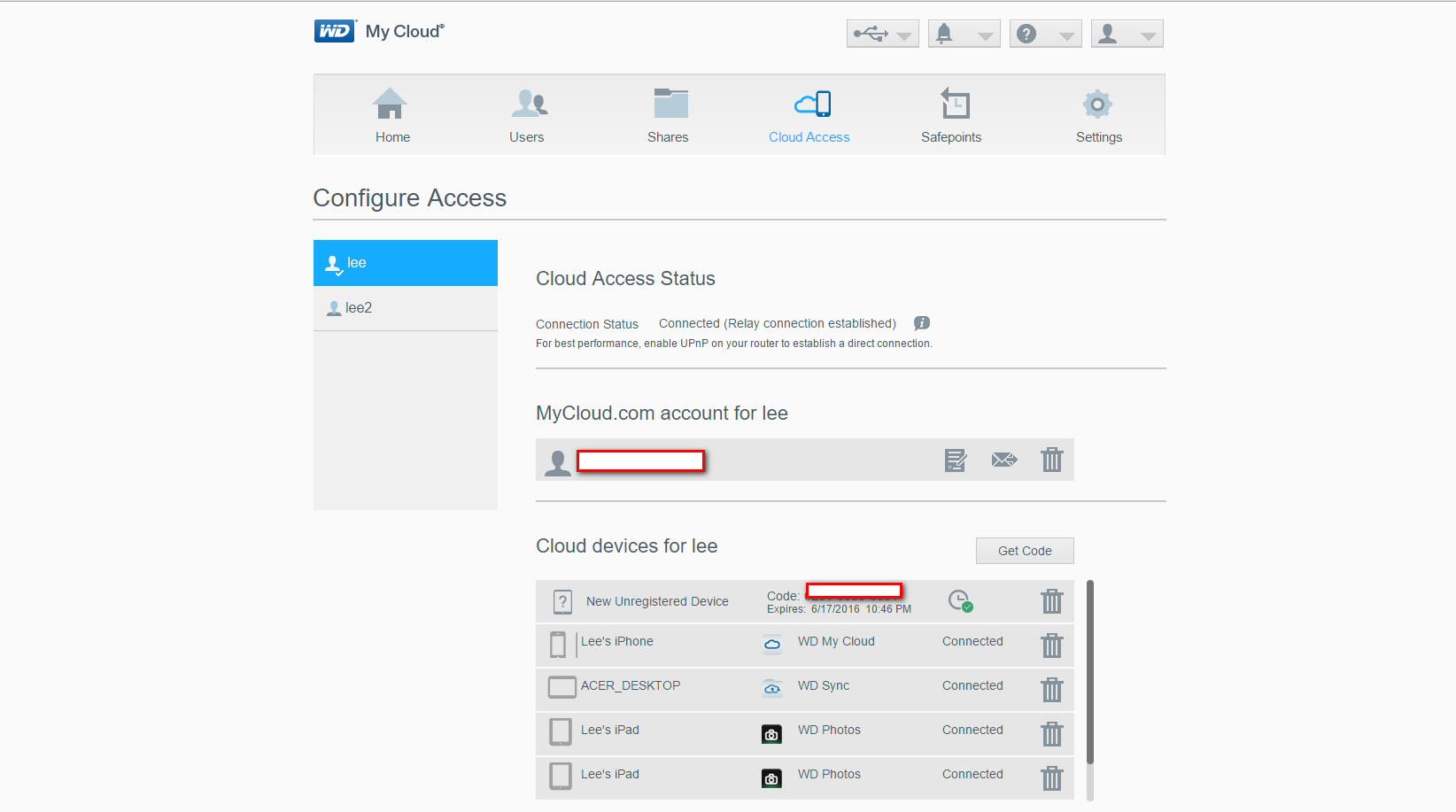
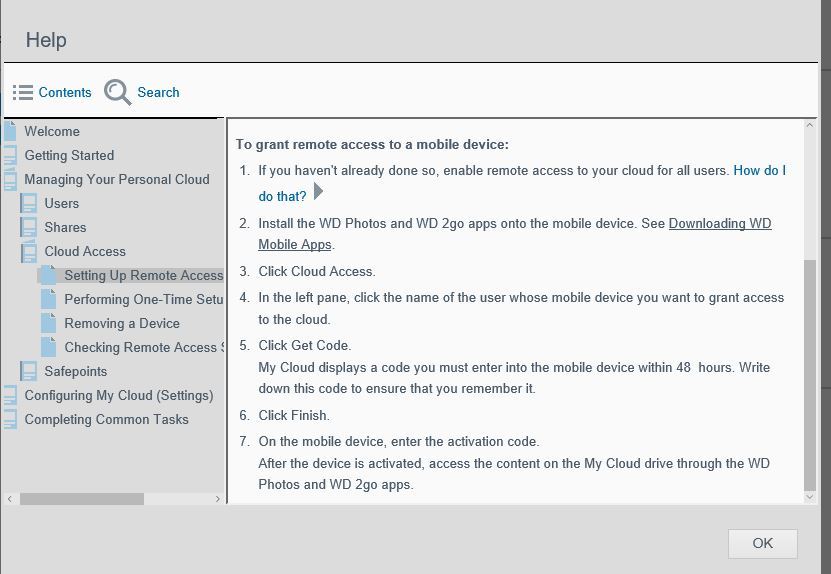
Going through the setup routine under “Cloud Access”. The program assigns an access code that will be in effect for only 48 hours. What do I do with it??
I have installed the MyCloud app on my iPhone and iPad. When I try to access the MyCloud I get a device timeout or “unable to contact this device” error message On the iPad i get an error “Device is offline” even though I’m looking at it now and the blue light is on. And I can connect to it with my desktop computer.
I may have messed up a week or so by generating an access code and not activating it within the time window. I tried setup after getting my hardware and then spent a week or so making my first backup.
Look at the image below and guide me. Where do I go from here?
At the top of your image for Connection Status, it shows Relay Connection. Below that are instructions about UPnP have you set this? What you want to see is,
Connection Status: Connected
Port forwarding connection established
Thanks. That is getting me a step closer. I have downloaded the user guide but didn’t visit the help file. On looking at settings I disabled sleep mode, which may be the reason that mycloud wasn’t found.
Apparently I had already activated my devices so I’ll disregard the activation code received yesterday.
I’m getting only a subset of my files, but that is a different issue. I suspect that is a setting that I need to investigate.