OK. I finally solved the problem.
After a close and long examination, I discovered a white (on white background) “button” under the grey banner of the WD DRIVE UTILITIES software. I have been looking for this function without success. Then I looked to an older version of this software to see the position of this button and this helped me to find it at last!
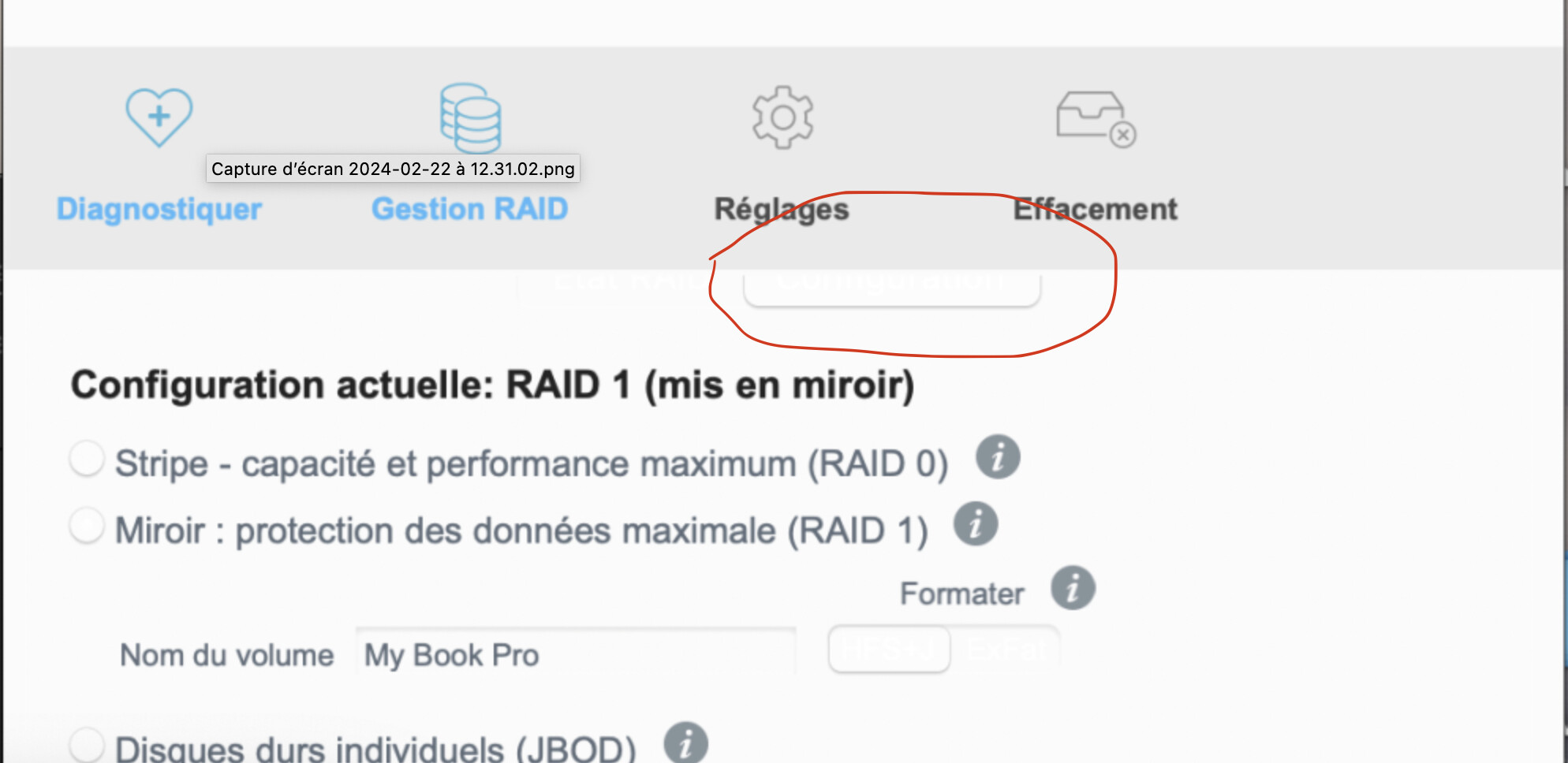
From there, I clicked on RAID MANAGEMENT and I was able to reinitialize the 2 6Tb HDD by erasing and reinitialize them in RAID O and JBOD (individual hard disc). And I checked with my Imac disc utility that both were now 6Tb.
Then I switched again under RAID 1! And again I checked that the visible HDD was still 6Tb.
Now it seems to work perfectly.
Unfortunately, I tried to contact WD but they were unable to respond to my questions or help me about HDD replacement in this My Book Pro as this product was “no longer” sold by WD. Well my friends, there is a solution.

