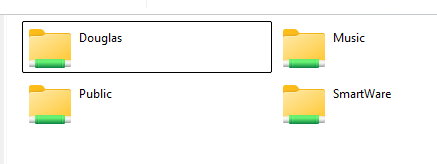
Hello all and thanks in advance for your help. I have a WD MyCloud NAS unit that has reached end of life so now I’m trying to use it as local file server. In Windows 10 & 11, I could/can access the shares (Base/Root) directory with no problem and view all the shared folders on the device.
I have been using Linux on and off for about 20 years. I no pro or advanced user, but I know enough to be dangerous. The problem I have is I can connect the MyCloud base folder directory. I can connect to the individual shared folders using both NFS and CIFS.
My question is does anyone know how to or has been successful connecting to the base/root folder. You guidance would be deeply appreciated.
Doug
Error message:
Created symlink /run/systemd/system/remote-fs.target.wants/rpc-statd.service → /usr/lib/systemd/system/rpc-statd.service.
mount.cifs: access denied by server while mounting 10.x.x.x:/
This works:
sudo mount -t cifs //10.x.x.x./MyShare /home/MySharer/MyCloud -o password=,uid=1000,gid=1000
This does NOT work:
[Unit]
Description=WD MyCloud CIFS Share
#Requires=network-online.target
#After=network-online.target
Mine shares perfectly on MS Windows. Linux however is a different story. Unless I know the folder name the shares reside in, I can’t map the drive to see all the shares and that is what I’m trying to do. In the Linux mount function, you HAVE to specify a folder, Windows you don’t!
I’m still unclear what’s your issue. What flavor of Linux?
On my Ubuntu, if I go into files and select “other locations”, I see my EX4 there. However, this is because I have AFP enabled. If I double click, I see all my shares there. If I want to map using SMB, go to the bottom where it says “Connect to Server”. Enter smb:// and Connect. You should see all of the shares. To keep it simple, you could just add it as a bookmark.
Once I select a share, I get prompted for credentials. All of my shares are “public” so I can log in anonymously. If you use a specific user, you can “remember” the login to suppress.
I tried the smb route and it causes to many problems with some of my software that are not web based file access compatible which smb is. So, the other option is to do a systemd mount and keep it enabled. The problem with CIFS and NFS is you have to specify a share folder. There for I need to know what that folder is so I can see all the folders just like widows. See the photo. That is what I’m trying to accomplish. Currently using KDE Neon with Ubuntu Noble.