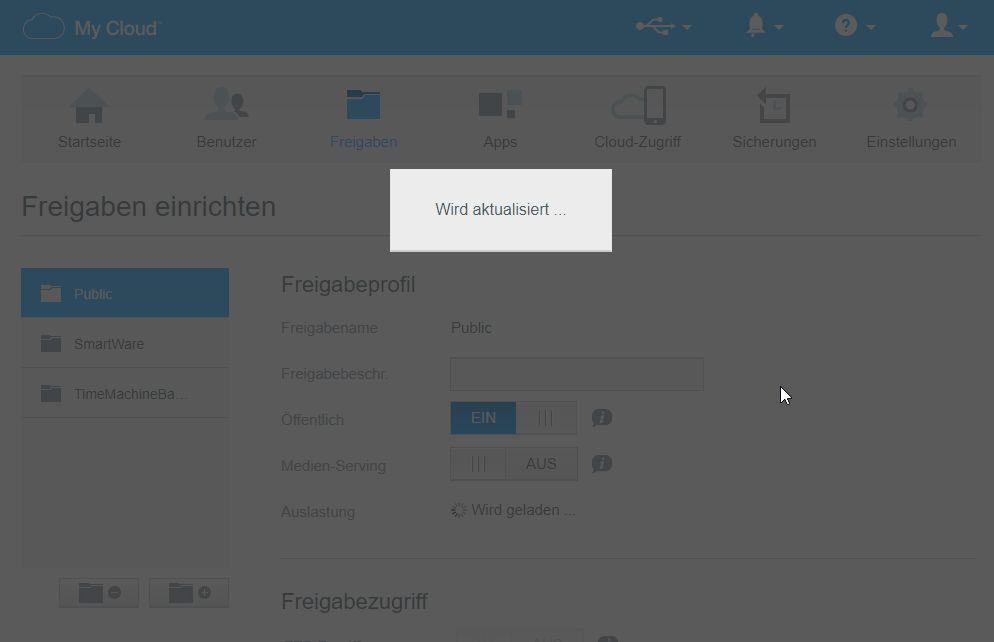
I hope this is the correct forum I’m posting to. I own a WD MyCloud (NOT home) and I’ve been using it for several years now but so far I never used the DLNA server. Now I decided I want to use it but whenever I open the dashboard and go to the “Apps” or “Settings/Media” the whole dashboard freezes and becomes unresponsive so I cannot even activate the DLNA option.
Couple of suggestions. First is to open the media server page and just leave it sit (if you haven’t done this already). Sometimes the Dashboard pages take a minute or two to finish loading properly.
Check any browser add-ons and extensions. Disable them and see if the issue persists.
One can also access the Twonky adinistration page for additional configuration of the Twonky Media Server. Example: http://wdmycloud:9000
Thanks for your suggestions.
I disabled all browser extensions but the issue is the same. I also let the page sit for several minutes. In Firefox it just does nothing but show the frozen page. In Chrome it shows the popup “page not responding” every couple of seconds. I pressed “wait” several times but in the end it also never changed anything. After some minutes the session times out and I get sent back to the login screen.
http://wdmycloud:9000 just loads forever without showing anything but a blank screen.
Have you got a USB hard drive attached to the My Cloud? And does that drive have Media Serving enabled on it? If so, as a troubleshooting step, eject the USB drive, and try again to see if the issue persists. Or if you cannot eject the drive, shut down the My Cloud, remove the USB drive, then power the My Cloud back on and see if the issue persists.
Another suggestion. Go to the Shares tab, select each Share and set Media Serving to OFF. Then check if the issue persists.
Best guess is that something is causing the Twonky media server to use a lot of system resources, or is caught in a loop trying to scan a corrupted media file/file using special characters, and its causing the failed page loading/slow page loading issue.
Is there a way to check the hard drive for corrupt files?
Can filenames not have special characters? Only UTF-8? I think there might be some files on my drive with special characters…
Edit: I’ve had some partial success: After increasing the dashboard webaccess timeout to the maximum of 30 minutes, the dashboard unfroze after some minutes on the media page and I was able to activate the DLNA server function. Now let’s see if it is able to build the index and if it works…
Edit2: When I set it to ON it looks like the dashboard accepted the request but if I reload the page (and wait again several minutes) it is OFF again.