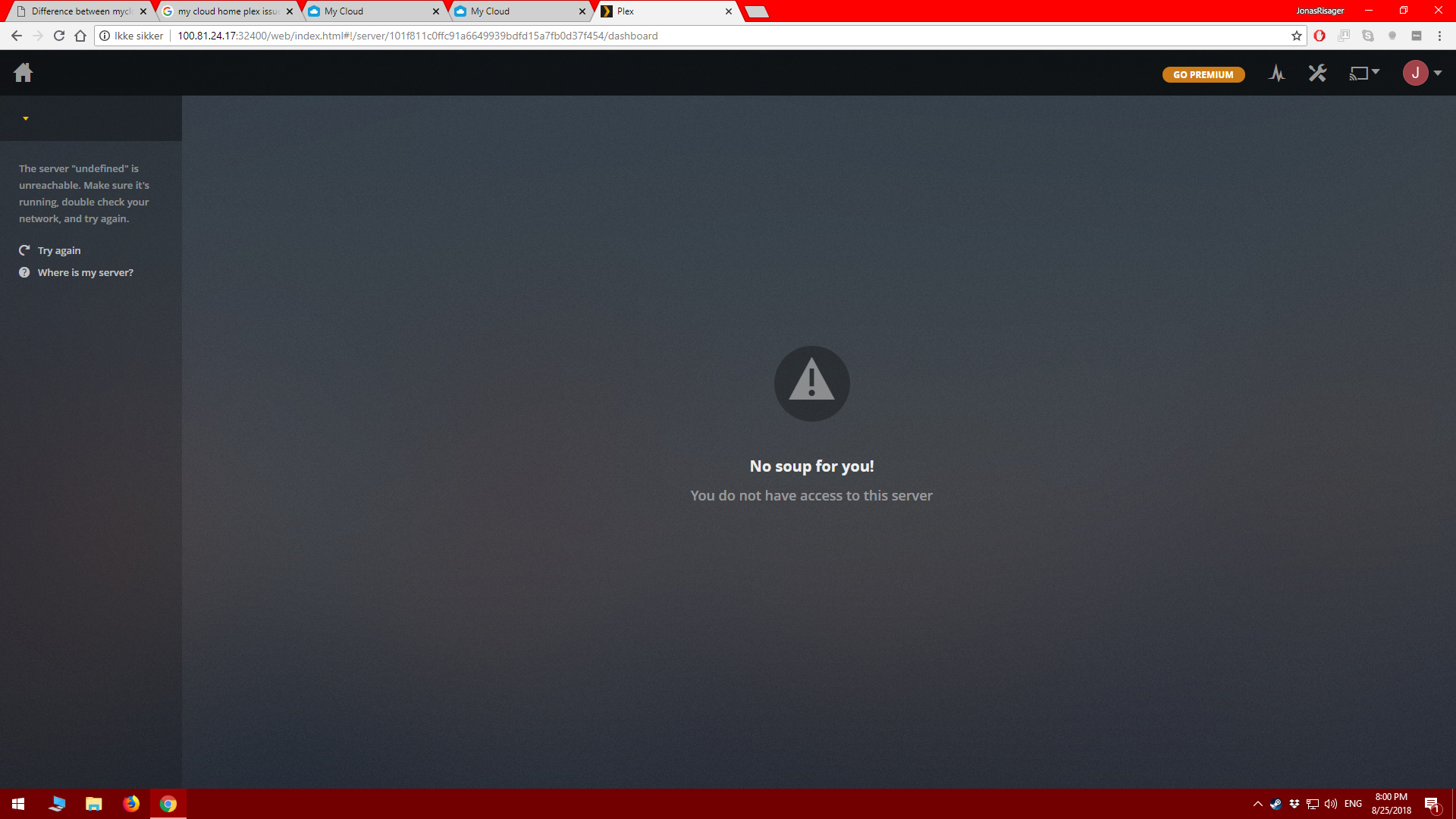
Just bought a MCH and the first thing I did was to enable the Plex on it. After it has enabled I press Configure and the button “Got It”. From here I log into my plex account and I get a dashboard where is says “No soup for you!”. It seems like the server isnt running correct. The text “The server “undefined” is unreachable. Make sure it’s running, double check your network, and try again.” is also shown.
The MCH is connected to the internet through a switch but I have no other problems with the device. Have anyone had this issue, and perhaps have a solution?
Hi @cat0w thanks for the suggestion but I have already looked at all documentation and so on. Here what I have already tried to do.
Disable and enabled Plex.
Factory Reset my MCH and then enabling and configuring plex.
From the Knowledge Base → How to Enable and Configure Plex Service on My Cloud Home → I never get to step 8 of the process. My plex browser goes directly to what is shown here below.
Are there any way to check if the Plex Media Server is actually running on the MCH to verify this?