WD Community

After Installing Plex, it's see just my root folder

Hi All, I need some assistance. Today I bought a new My Cloud Home and succesfully installed Plex Webserver on it. After it redirected me to the Plex web app I’ve tried to add the media folder it, but I can’t see the dedicated folder, but the whole root.

What should I do to see the dedicated Media or Plex folder?
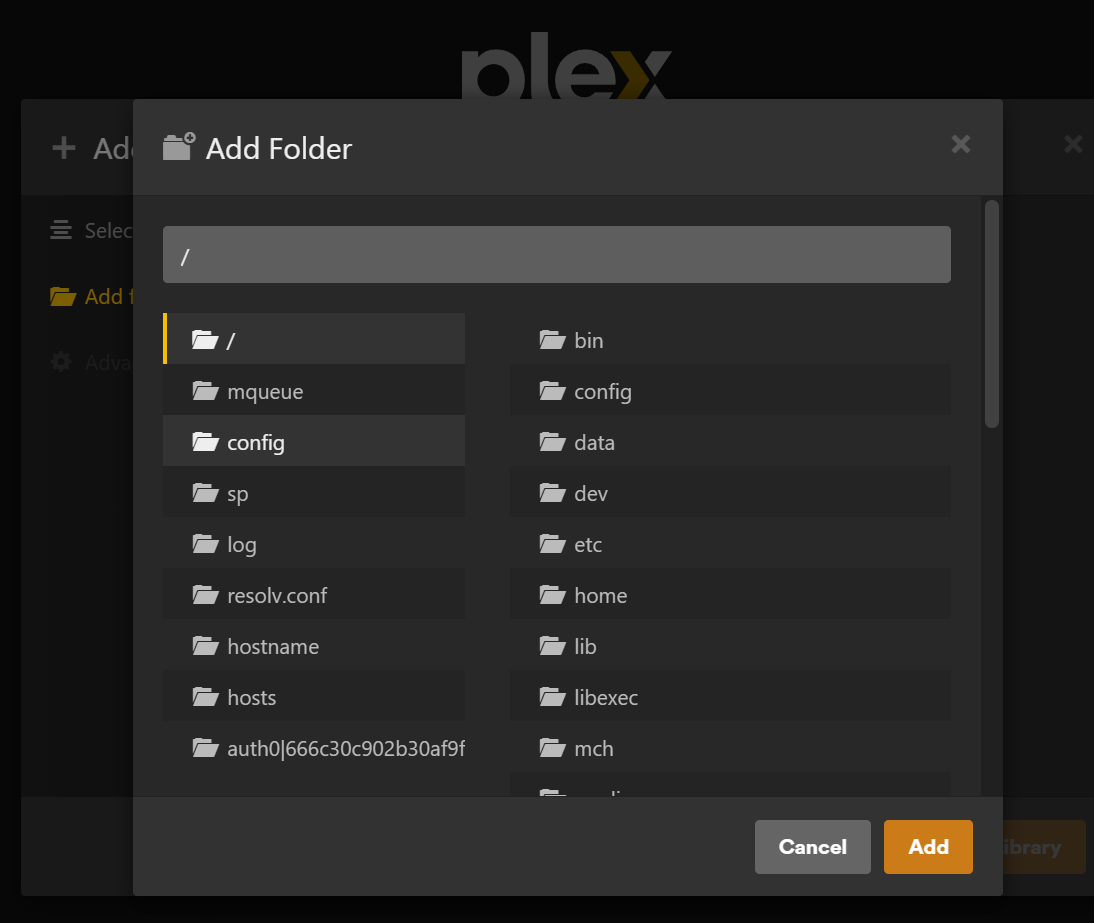
Under Add Folders menu click Browse For Media Folder.
Select a folder with content.
Click Add Library.

This may take time depending on the amount of files in the folder.

Thank you! I would never have realised on my own that the “mch” is stands for “My Cloud Hom”

And where can I find other user folders or the public folder?

Support for Western Digital Hard Drives | Western Digital

Still Need Help?

Reach out to Support for more assistance.

Sign in to Your Support Account

Get up-to-date information about your products.

Western Digital Business Portal

Unlock benefits and tools for your business such as enterprise support, pricing and rebate tools, marketing, loyalty, rewards, and more.
