Hello,
I have been a Western Digital External Hard Drive user for WELL OVER FIFTEEN YEARS,
First starting with my 1 Tb WD Passport, WHICH SEEMED GIGANTIC TO ME, when the storage space of my ENTIRE COMPUTER was less than IT!!!
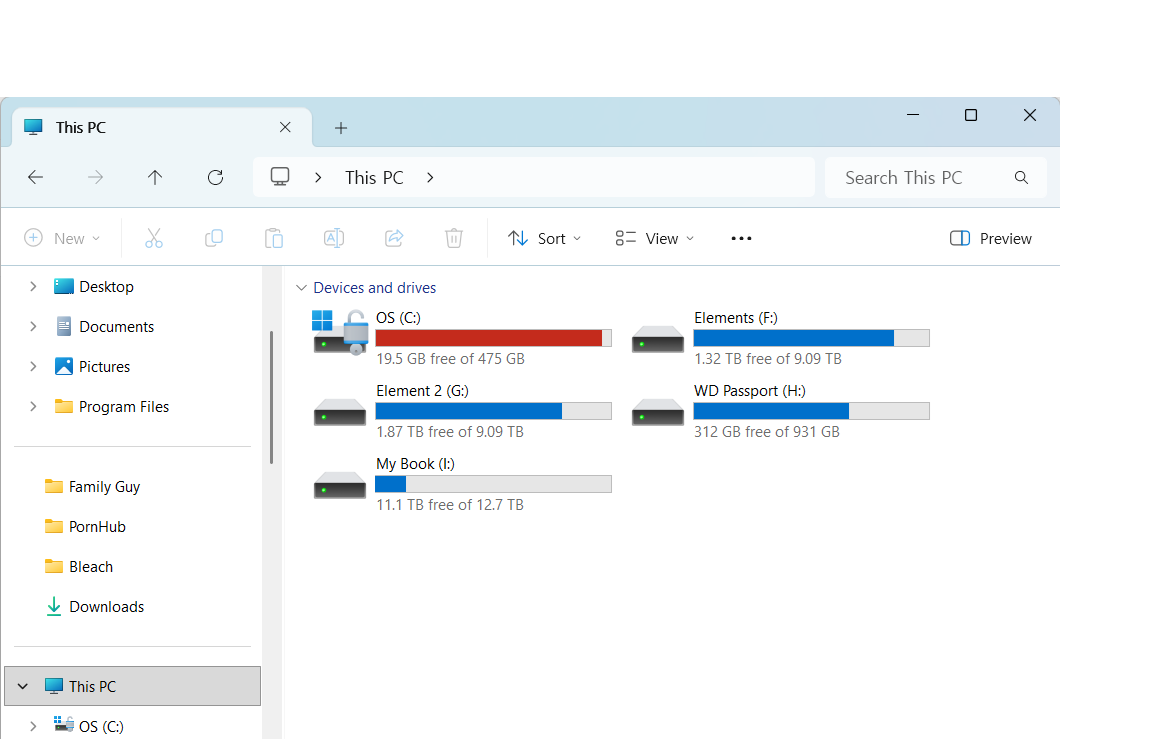
I have grown my External Hard Drives to Two Elements, and Two more My Books.
About an year ago, I started to notice that one of my My Book didn’t appear on the My PC screen!?
Truth be told, PROBABLY my fault, as I did A LOT OF DANGEROUS P2P downloading at the time, and have COMPLETELY RUINED A LAPTOP OR TWO
I wanted to check if I DID, IN FACT FRY IT UP, AND MY WINDOWS 10 (AND NOW, WINDOWS 11) WAS UNABLE TO RECOGNIZE IT COMPLETELY)
A few weeks ago, I checked the Device Manager, and just re-checked now,
I can see FIVE (THE FIRST PASSPORT, THE TWO ELEMENTS, AND THE TWO MY BOOKS) USB Mass Storage Devices!
I tried unplugging ALL BUT THE MY BOOK THAT DOESN’T SHOW UP ON MY PC,
I CAN STILL SEE AN USB MASS STORAGE DEVICE!
And I can DEFINITELY hear the My Book buzzing fan noise, so the power DEFINITELY COMES ON!
Not sure WHAT TO DO. . .
It has been WELL OVER TEN YEARS, and I DIDN’T PURCHASE ANY INSURANCE. . .
CAN ANYONE HELP ME :’(?
Thank you EVERYONE for reading,
and SPECIAL THANKS + <3 FOR THE PERSON WHO HELPS ME